Before I go into this wire-free vs wired vs wireless security cameras comparison, I want to lay out some assumptions and information.
1) You’re a homeowner with plans to own your home for the long term.
2) Wire-FREE cameras are cameras that don’t need any wires at all (no network nor power cable needed), while wireLESS cameras are cameras that connect to the network wirelessly but still need to connect to a wired power cable.

I will also start off by saying that I have a strong opinion that wired cameras are superior overall, due to it having less interference and latency.
When it comes to security, reliability is the utmost priority. What good is a camera if you can’t view it when you need to?
With all of that pre-information out of the way, let’s get into the main comparison of wire-free vs wired vs wireless security cameras. Although my opinion heavily favors wired, there are times when it’s not practical nor efficient.
Wired Security Cameras
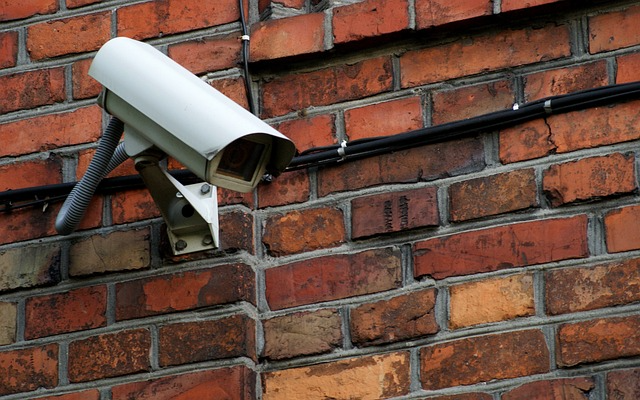
Wired cameras are less susceptible to interference because of there being a dedicated and continuous line of connection. This advantage allows wired cameras to be very reliable.
Strengths
- Reliability: Footage can be transmitted more reliably without data drops.
- Footage quality: Higher quality video can also be sent without worrying about data drops.
- Immunity to signal jammers: There aren’t any wireless data to jam since it’s all wired. This means bad actors won’t be able to disrupt your video feed using this method.
- Local storage: Footage can be stored locally without paying for any subscriptions. This is true for wire-free and wireless cameras too, but it’s more prominent in wired ones.
Weaknesses
- More involved installation: Installation requires careful planning and preparation. Running wires to the mounting locations far away from the main hub will require traversing through rooms. This means you will have to be thoughtful in your cable management.
- Camera relocation: If you want to move a camera to a different spot, you will either have to do some cable rerouting or run a new line. This added difficulty could make your home less secure due to the fact that you may get too lazy to reposition your camera for better coverage.
- Upgrade difficulties: Most modern cameras are power-over-ethernet (PoE). Before that, coax cables were more widely used. Homes that wired their security cameras with coax have to rewire all of those cables to ethernet now if they want to upgrade into a better system. So despite the cameras not needing to be relocated, the wires would need to be reran. This is important to keep in mind as well, because there may or may not be an interface that succeeds PoE.
Wireless Security Cameras
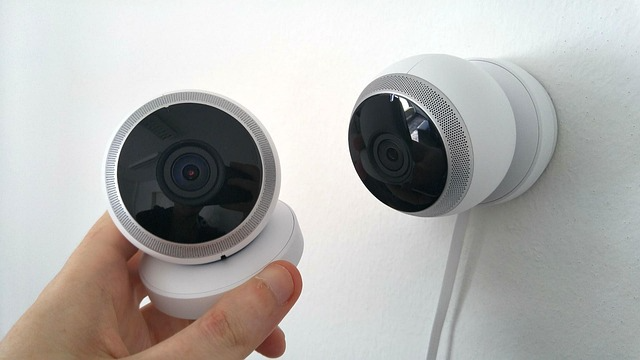
The convenience of having less wires to manage will give you more flexibility at the cost of having less reliability.
Strengths
- Easier installation: You only need to be near a power outlet and installation is as easy as plugging it in.
- Placement options: Since you don’t need to worry about running any wires from a central hub, you have more options, with less effort, in terms of placement.
Weaknesses
- Signal interference: Walls, distance, microwaves, conductive materials like metal and water can disrupt the connection.
- Data drops: Due to there not being a continuous and direct connection, as well as the potential for signal interference, data drops are susceptible during data transmission. This results in gaps in the video footage.
- Wi-Fi jamming: Jamming devices can overwhelm wireless networks, causing the video feed to be completely disabled.
- Power outlet dependence: You are still limited by how far away from an outlet you are.
Wire-Free Security Cameras
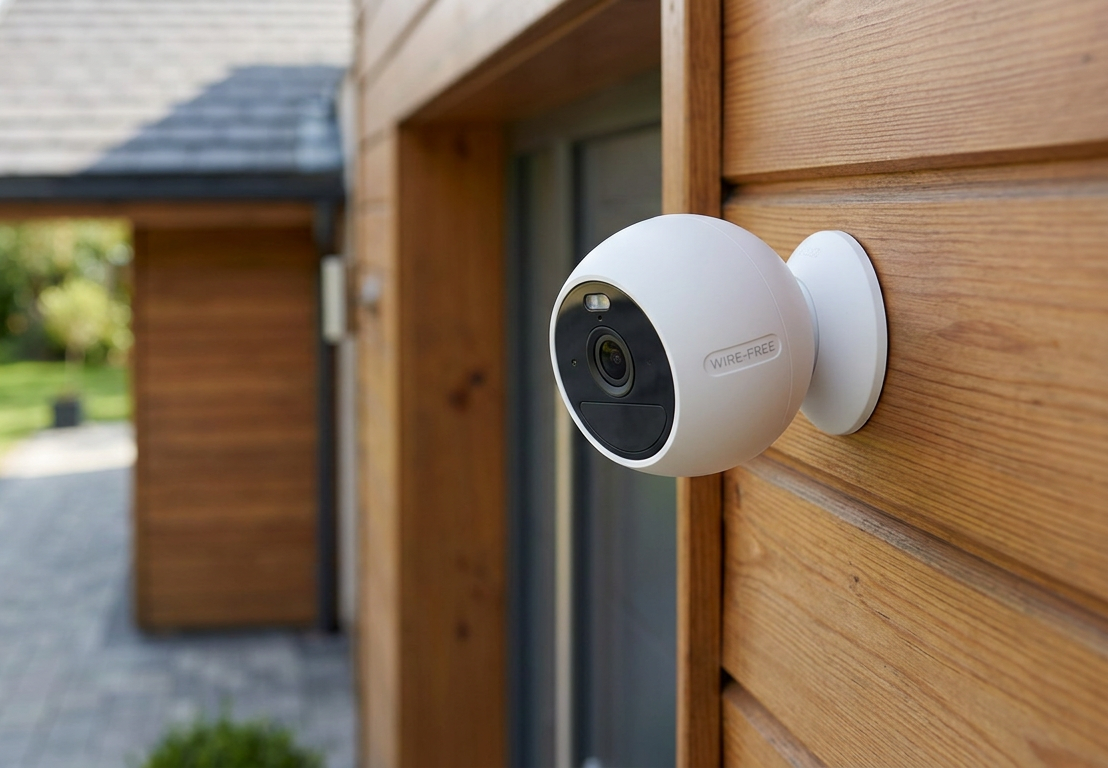
Now that you know the strengths and weaknesses of wired vs wireless security cameras, the final type that I’ll go over is the wire-free camera. These have no dependency on cables. As a result, you have maximum freedom in terms of placement.
However, since these cameras are battery powered, you sacrifice heavily on functionality and maintenance. Since wire-free cameras are also wireless, some of these listed weaknesses are the same as the ones listed for wireless security cameras.
Strengths
- Ultimate flexibility: You don’t have to worry about being near a power outlet or wiring to a central hub. As long as you’re within range of Wi-Fi or a cellular network, you can place it anywhere.
- Built-in resilience to power outages: Even during a power outage, these cameras will still be functioning.
Weaknesses
- Battery maintenance: You will have to replace or recharge the battery when it’s degraded or low, respectively. There are solar options that’ll help keep the battery charged. The drain rate for batteries are affected by cold temperatures, so keep that in mind.
- Power constraints: You have to optimize the settings for your use-case. One way to reduce battery drain is to only do motion activated recording. However, this type of recording means you may miss crucial footage leading up to the motion activated event.
- Long-term costs: Eventually, the battery capacity will degrade, so you will have to buy replacement batteries. And if you’re using one that connects via a cellular network, cellular data plans will be an additional monthly cost.
- Signal interference: Walls, distance, microwaves, conductive materials like metal and water can disrupt the connection.
- Data drops: Due to there not being a continuous and direct connection, as well as the potential for signal interference, data drops are susceptible during data transmission. This results in gaps in the video footage.
- Wi-Fi/cellular jamming: Jamming devices can overwhelm wireless/cellular networks, causing the video feed to be completely disabled.
Common Myths
Here are some myths I hear a lot about security cameras in general.
Wireless cameras are dependent on being connected to the internet and will not work during an internet outage
This is not entirely true. A wireless camera can still transmit data through a wireless network, even if said wireless network isn’t connected to the internet. It will wirelessly send the video data into a central hub like an NVR and record it into the connected hard drive.
You just won’t be able to view the live camera feeds remotely when you’re away from home, as that’s dependent on being connected to the internet.
Now, if the wireless network itself is down (AKA the router dies) or the Wi-Fi connection between the camera and network is disconnected, then the camera will not be able to send any video footage wirelessly to the central hub. Some cameras have SD cards so that they can record without relying on any wireless networks.
Wireless cameras require a subscription to be able to record footage
A lot of wireless cameras in the market record footage directly to the cloud. And in order for you to access any footage, you have to pay their subscriptions. That much is true.
But not all are like that. Some of them allow you to record to a local NVR and some of them allow you to record to an SD card.
Bottom Line: Which type is the best?
I will always go for wired cameras if I have the capabilities to do so. Even if the wiring is tricky, I’ll do my best to engineer a solution to make it happen.
For me personally, it boils down to wired vs wireless security cameras. I try to use as little wire-free cameras as possible. The more wire-free cameras you have, the more batteries you’ll have to maintain.
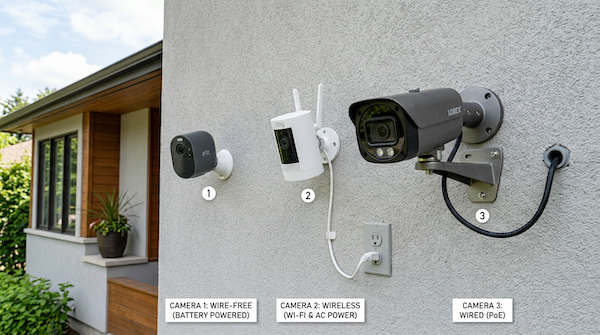
With that being said, sometimes it’s simply not possible, practical, nor cost-effective to wire everything. In these cases, it will be best to use either a wire-free or wireless camera.
I have the fortune of not needing wire-free cameras. You might not have such a luxury. If you have a lot of land, even wiring just power cables for wireless cameras may be more effort than it’s worth.
For example, let’s say you have a large front lawn and driveway and you want to monitor the entrance of your driveway to capture license plates of suspicious cars. In order to capture legible footage, your camera has to be placed properly.
If you want to place a wireless camera near the entrance and there are no power outlets nearby, it won’t be easy to run a power cable all the way out there.

So in such cases, I suggest using a wire-free camera with solar charging and staying on top of battery maintenance. After all, if you bought a house with a lot of land, you likely knew what you were getting into ;).
For maximum reliability and coverage, a hybrid setup works best. Set up wired cameras where you can, and then for places that you can’t, use wire-free or wireless.
This ensures that you have a lot of reliable cameras while at the same time minimizing blindspots.
If you have any questions or want suggestions on how to wire a camera, send me a message through the contact form and I’ll help as best I can!